Albertsons Market for U
- 4.8
- Rating
- 10.00K
- Installs
- Free
- Price

 Analysis by App-foxy
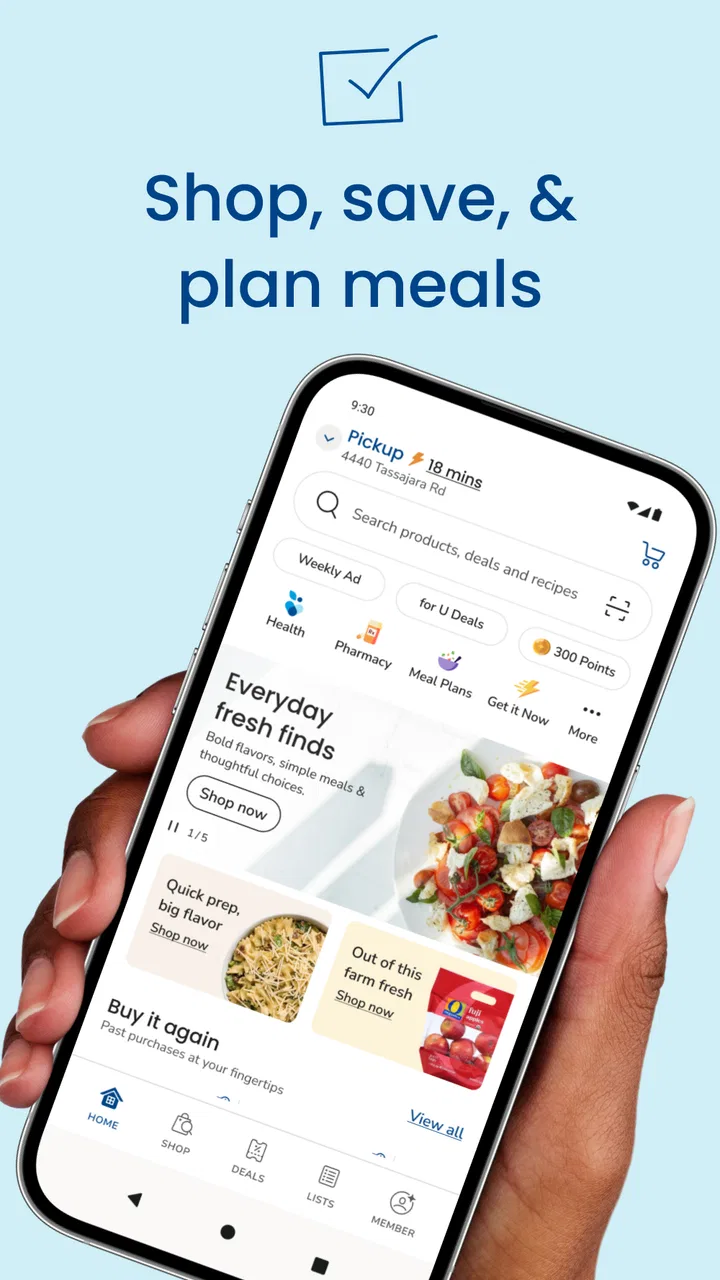
When I need groceries from Albertsons Market, I prefer having a direct way to plan the order instead of switching between a browser, a paper list, and a separate delivery service. Albertsons Market is a free shopping app from Albertsons Companies, Inc. that brings store shopping, delivery, and pickup into one place. I found its appeal less about flashy extras and more about reducing the small decisions that make a routine grocery run feel longer than it should.
This is a useful choice if your regular shopping already happens at Albertsons Market and you want a simpler path from remembering an item to collecting it. It is also worth considering if you alternate between visiting the store and ordering groceries. The important question is not whether it can replace every shopping method, but whether keeping your grocery workflow inside one store’s app makes your week easier.
How I judged the shopping experience
I looked at the app as a practical decision rather than as a general-purpose marketplace. For me, the key tests were straightforward: Can I find ordinary groceries without unnecessary effort? Does the app make pickup or delivery feel like a genuine alternative to walking through the store? Is it useful for a quick top-up as well as a larger weekly order? And does it remain worthwhile for someone who shops across several supermarket chains?
You May Also Like

 AccuWeather: Weather Radar
AccuWeather Review: A Quick, Clear Forecast for Everyday Decisions
For everyday plans, the best forecast is the one you can understand quickly. AccuWeather makes rain timing, radar, and local conditions easy to act on, with a few trade-offs.

 Hill Climb Racing
Why Hill Climb Racing Still Turns Crashes Into One More Run
A tiny car, a bumpy hill and one more upgrade: Hill Climb Racing keeps resurfacing because its simple chaos makes every near-miss feel personal.

 AliExpress - Shopping App
AliExpress Makes Global Shopping Feel Personal, but Shoppers Bear the Risk
AliExpress turns a global marketplace into a pocket-sized discovery engine. Its reach is useful, its shopping loop compelling, and its trade-offs easy to miss.

 Lords Mobile: Kingdom Wars
Lords Mobile Is a Kingdom-Building Routine, Not a Quick Match
A case-by-case verdict on the building, battles, device demands, and social commitments that make Lords Mobile rewarding for some players and exhausting for others.

 PDF Scanner app - TapScanner
TapScanner Makes Paperwork Easier to Capture, Check, and Share
TapScanner makes scanning with a phone feel less like a rescue operation and more like a dependable step in getting work done. Its capture tools are useful, though not flawless.

 Block Blast!
 Shows How Much a Puzzle Game Can Leave Out
A quiet grid game shows why puzzle players increasingly value instant clarity, repeatable skill and low-pressure play—and where the genre still needs to catch up.
More From Our News Desk
View All News


Those questions matter because grocery apps are often good at one part of the task and awkward at another. A store app may be more closely connected to a particular retailer’s shopping experience, while a broad delivery marketplace may be more convenient for comparing different stores. Albertsons Market makes the most sense when the store itself is already part of your routine. If it is not, the convenience of installing another shopping app may be harder to justify.
The app is listed for Everyone, which matches the straightforward nature of its purpose: browsing groceries and arranging a store order. It is available at no charge, so the main commitment is learning one more shopping workflow rather than paying to access the app. Its current version is 2026.17.0, and it runs on Android 8.0 or later, making it accessible on many older Android phones as well as newer devices.
The store listing shows an average rating of 4.8 from around 450 ratings, with roughly 50 written reviews, and more than 10 thousand installs. I would treat those figures as encouraging but not as a guarantee that every order will be perfect. Grocery satisfaction depends on the local store, the products being ordered, and whether delivery or pickup suits the situation. A high rating can suggest that the basic experience works well for many people, but it cannot remove those practical variables.
Why a store-specific app can be the right starting point
The strongest reason to use this app is focus. Instead of searching a wide marketplace that mixes retailers, I can approach the shop as an Albertsons Market order. That narrower scope can be helpful when I already know where I want to buy, especially for a repeat list of household staples. I am not spending time comparing stores when the decision has already been made.
That focus also changes how I think about pickup and delivery. A normal store visit gives me control over the route, substitutions, and last-minute choices, but it costs travel time and requires me to be available in the aisle. The app gives me a way to organize the order before I leave home and choose a fulfillment method that fits the day. For a parent managing a busy evening, a person with limited mobility, or someone trying to avoid an unnecessary trip, that can be a meaningful advantage.
I also like the possibility of using the app for different shopping rhythms. A large weekly order benefits from planning, while a smaller order can be useful when I realize that breakfast items or cleaning supplies are running low. The app’s value is therefore not limited to one dramatic shopping session. It can become a regular checkpoint in a household routine, provided the local Albertsons Market is convenient and the available ordering options suit you.
A realistic weeknight use case
Imagine that I finish work later than expected and notice that I am missing ingredients for the next morning, along with a few basics for the rest of the week. I can open the app, search for the items, review the basket, and decide whether pickup or delivery is more sensible than going into the store. If pickup fits my route home, I avoid wandering through aisles while tired. If delivery is the better option, I can keep the errand off the evening schedule.
The less obvious benefit is the pause between remembering an item and acting on it. I can build the order while I am at home, where I am more likely to notice what is already in the refrigerator or pantry. That can reduce duplicate purchases. It also makes it easier to separate urgent items from things that can wait for the next planned order, rather than treating every missing product as a reason for an immediate trip.
For this scenario, I would still check the basket carefully before confirming it. Online grocery shopping can encourage quick taps, and a familiar product name does not always mean the package size or variety I intended. My practical tip is to use the cart as a second inventory check: look at quantities, sizes, and the difference between a staple and a substitute before selecting the fulfillment method.
Where the app earns its place
Albertsons Market is at its best for shoppers who value a direct connection with one supermarket. The combination of shopping, delivery, and pickup gives the app several roles without requiring a different tool for each one. I can use it as a planning aid even when I ultimately decide to visit the store, or as the main ordering route when time and convenience matter more than browsing in person.
Another strength is the reduced mental load. A general marketplace can be useful, but it may present several retailers, delivery choices, and product listings at once. That breadth is not always helpful when I simply want to restock familiar groceries. A store-focused app can feel calmer because the decision space is smaller. For repeat shoppers, that can be more valuable than having endless alternatives.
I also see a useful trade-off for people who want to preserve control over their grocery budget. Building the basket at home gives me a chance to review the total before I commit to the trip or fulfillment choice. It is easier to remove an impulse purchase from a screen than from a cart after walking past a tempting display. This is not a guarantee of lower spending, but the deliberate pause can support better habits.
A further tip is to separate “must have today” items from “nice to have” items while building the basket. If an order becomes inconvenient or more expensive than expected, I can remove optional products without losing the purpose of the trip. This workflow is especially useful for households that shop under a strict weekly budget, because it turns the cart into a prioritization tool rather than just a digital version of a shopping trolley.
Where another option may fit better
I would hesitate to recommend this app as the only grocery tool for someone who regularly compares several supermarket chains. A multi-store marketplace may be a better fit when the main goal is to compare availability, convenience, or the overall basket across different retailers. Albertsons Market is more naturally suited to a shopper who has already chosen Albertsons Market as the store.
It may also be less appealing if you enjoy discovering products by walking through the aisles. Digital ordering is efficient, but it changes the character of shopping. I cannot rely on the same kind of spontaneous discovery that happens in person, and I may need to search more deliberately for an item rather than noticing it on a shelf. For a quick, familiar list, that is a fair exchange. For browsing, it can feel restrictive.
There is also a learning cost whenever I move from an established routine to an app. Someone who already has a fast in-store route may not save much time on a tiny order, particularly if opening the app, searching, and arranging fulfillment feels slower than picking up a few items directly. In that case, the app is better used for planned orders than for every minor purchase.
Delivery and pickup should be viewed as conveniences that depend on the local shopping situation, not as automatic replacements for a store visit. Timing, product availability, and the suitability of the chosen method can affect the result. If I need complete control over the exact item, package, or condition of fresh products, shopping in person may remain the better choice. The app helps with organization, but it cannot make every grocery decision equally predictable.
The real cost of switching
Because the app is free, the cost of trying it is mostly practical. I need to install it, become familiar with its search and ordering flow, and decide whether it fits my existing shopping habits. That is a small commitment for a regular Albertsons Market customer, but it may be unnecessary effort for someone who visits the store only occasionally.
The bigger adjustment is changing when I make decisions. In-store shopping spreads choices across the trip, while app-based shopping asks me to make more of them before I leave home. I need to think about quantities, fulfillment, and whether the order is urgent. Some people will find that calming; others may feel that it adds planning to a task they prefer to keep spontaneous.
My advice is to start with a modest order rather than moving an entire household routine at once. Use a familiar list of products, inspect each selection, and see whether pickup or delivery actually saves effort in your circumstances. This first test can reveal whether the app’s workflow suits you without making a large order the experiment.
Once the basic process feels comfortable, a useful habit is to create the basket when you notice items running low, then review it later before ordering. That two-step approach avoids both extremes: forgetting essentials because you waited until the last minute, and buying too much because you added everything in a single rushed session. It also makes the app more valuable as a planning space, not merely a checkout screen.
For people sharing household responsibilities, the decision is slightly different. The app can help one person assemble an order while another checks what is needed at home, but that only works if the household agrees on quantities and acceptable alternatives. I would not assume that a digital basket automatically solves communication problems. It is still worth checking the list with the person who will cook, pack lunches, or use the household supplies.
Who should use it
I recommend Albertsons Market to regular customers of the chain who want one app for store shopping, pickup, and delivery. It is particularly sensible for planned weekly orders, time-pressed evenings, and households that benefit from seeing the basket before committing to a shopping trip. The free price also makes it easy to test without treating the installation as a major purchase decision.
I would be more cautious if you mainly shop at competing supermarkets, prefer comparing several retailers in one place, or enjoy choosing every product directly from the shelf. In those situations, a broader shopping service or a normal store visit may be more useful. The app is not a universal answer to grocery shopping; its value depends strongly on the store you already use and the way you prefer to make purchases.
My final recommendation is to try it as a focused Albertsons Market companion rather than expecting it to replace every grocery habit. Its best feature is the practical choice between planning an order, picking it up, or having it delivered. That combination can remove friction from a busy week, especially when the store is already your preferred destination. Just keep the cart review step, begin with a familiar list, and choose in-person shopping when product selection or immediate control matters more than convenience.
As a shopping app in the retail category, it succeeds by staying close to a specific store instead of trying to be everything for everyone. That is precisely why I would recommend it to the right person and skip it for the wrong one. If Albertsons Market is part of your normal routine, this free app is a sensible way to make that routine more organized and flexible.
FAQs for Albertsons Market for U
01What features does the Albertsons Market app offer?
The Albertsons Market app provides various features, including grocery ordering and delivery, digital coupons, personalized shopping lists, and weekly ads. It also allows you to refill prescriptions and track your order status. The app aims to enhance your shopping experience by providing convenience and savings directly from your smartphone.
02Is the Albertsons Market app available for both Android and iOS devices?
Yes, the Albertsons Market app is available for both Android and iOS devices. Users can download it from the Google Play Store or the Apple App Store. The app is designed to work seamlessly on most smartphones and tablets, offering a user-friendly interface across platforms.
03How do I create an account in the Albertsons Market app?
To create an account, download the app and open it. Tap on the 'Sign Up' button and enter your email address, create a password, and fill in your personal details. You can also link your existing Albertsons loyalty card to access exclusive deals and track your rewards easily.
04Are there any fees associated with using the Albertsons Market app?
The Albertsons Market app itself is free to download and use. However, fees may apply for certain services such as grocery delivery. It’s advisable to check within the app for any potential charges related to specific features, like delivery fees or subscription services.
05Can I use digital coupons from the Albertsons Market app in-store?
Yes, digital coupons available in the Albertsons Market app can be used in-store. Simply add the coupons to your account within the app and present your phone at checkout. The cashier will scan the barcode to apply the discounts to your purchase, making savings simple and convenient.
Pros
- User-friendly interface enhances shopping experience.
- Real-time order tracking keeps you updated.
- Exclusive discounts available for app users.
- Easy access to weekly ads and promotions.
- Customizable shopping lists for convenience.
Cons
- Limited payment options might inconvenience some users.
- Occasional app crashes reported by users.
- Location-specific features may vary.
- Requires stable internet for optimal performance.
- Notifications can be overwhelming at times.

Albertsons Market for U
Gallery